Create a mindmap in a minute using markdown or Rmarkdown
 Author: Thi Hao Pham
In this post, I want to share with you how to create a mindmap easily using markdown or Rmarkdown.
Using markdown
What you need to do is only inserting a code block markmap (meaning markdown + mindmap) as below:
```markmap
- A tree
  - Branch 1
    - [Leave 1 with a link to a website](https://markmap.js.org/)
    - Leave 2
      which is very long
    - Leave 3 with `a code here`
  - Branch 2
    - Leave a with an equation: $x = {a\over b}$
    - ~~Leave b which is not needed anymore~~
```
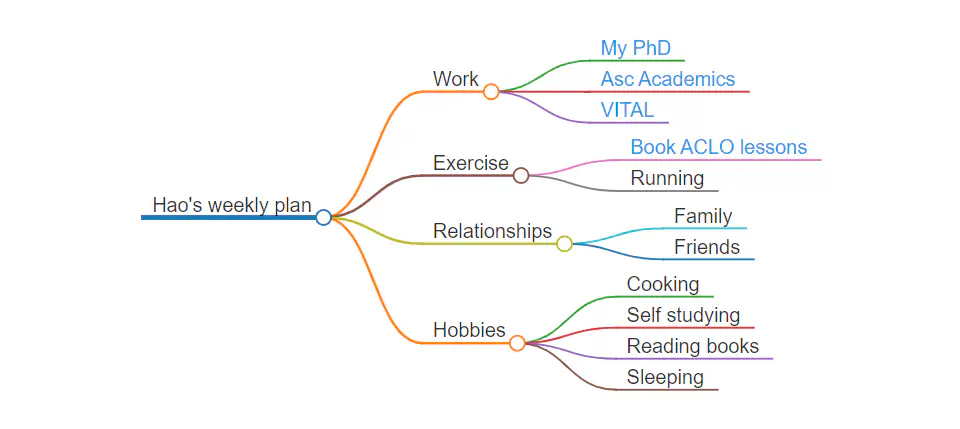
Then you will get the mindmap as below:
- A tree
  - Branch 1
    - [Leave 1 with a link to a website](https://markmap.js.org/)
    - Leave 2
      which is very long
    - Leave 3 with `a code here`
  - Branch 2
    - Leave a with an equation: $x = {a\over b}$
    - ~~Leave b which is not needed anymore~~
Please not that Mindmap can be written in markdown, but needs to be supported by a flexible platform, for example Wowchemy hugo template with a webpage output.
Using Rmarkdown
Mindmap feature has not been incoporated into Rmarkdown yet, unfortunately … However, a package named “mindr” can help to convert Markdown (’.md’) or R Markdown (’.Rmd’) texts, R scripts, and directory structures, into mind map widgets or files (’.mm’), and vice versa. You just need to make sure that you choose the output: html_document. How to do so? After installing “mindr” package, you can search “markmap” in Help tab to know how. In summary, there are 2 steps:
- Step 1: Create a source text which could be an .Rmd or .md or R script file with the structure below (only text, no YAML):
```
# Branch 1
  ##  Leave 1
  ##  Leave 2
# Branch 2
  ##  Leave a
  ##  Leave b
```
Name the file as you want, for example: “input_text.Rmd” and keep it in the same directory as your second file below.
- Step 2: Create a normal .Rmd file with HTML output. Then insert the code below:
```{r}
input_txt <- readLines("input_text.Rmd", encoding = "UTF-8")
markmap(input_txt, root = "A tree")
```
That’s it. Let try it and good luck!
Additional materials: